Choplee · Bill Splitter
Track who you owe and who owes you in your circle.
Track shared bills, payment proofs, and open balances — for trips, dinners, and house shares.
Free to start. Credits cover new splits; settlement stays between your group.
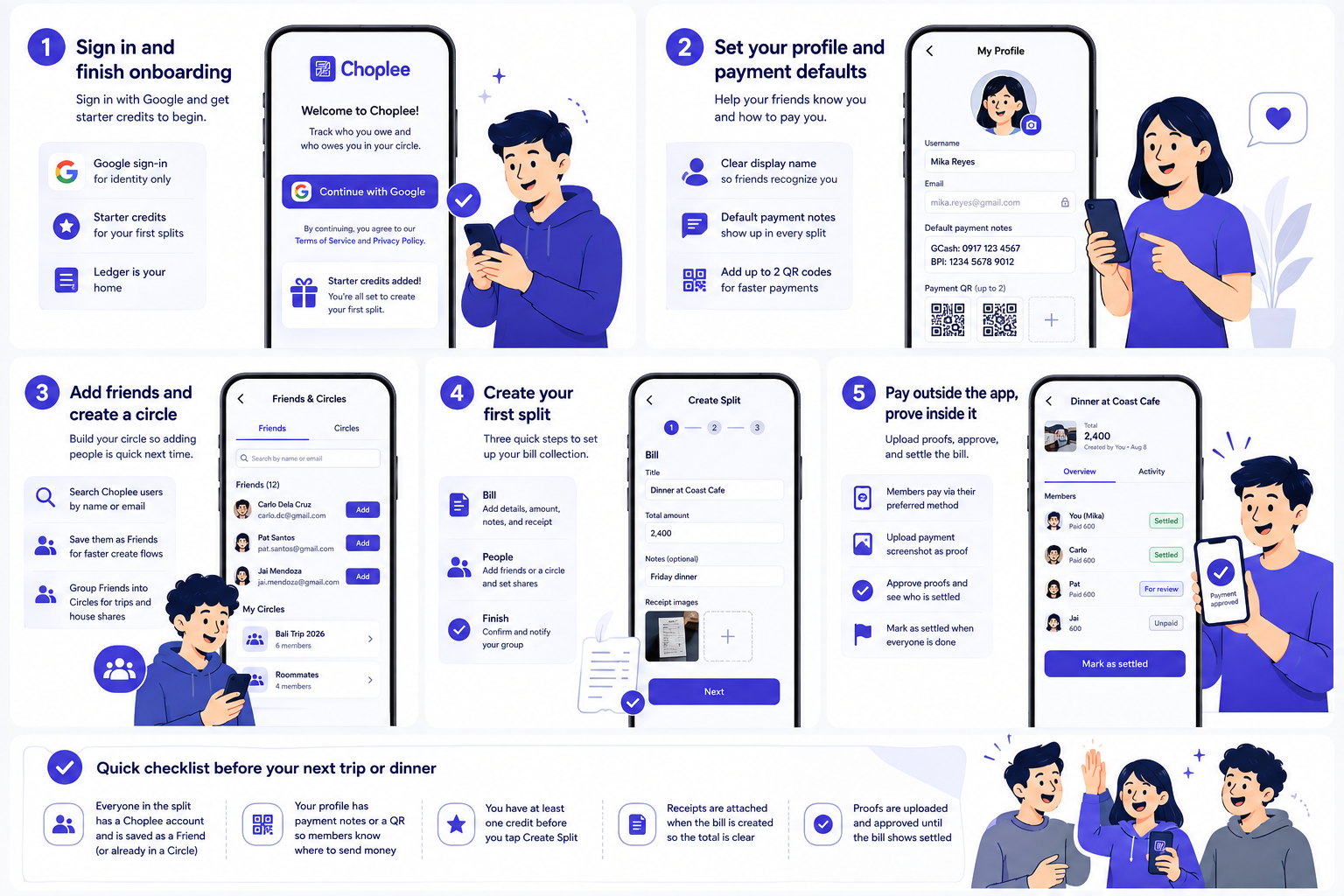
From expense to settled — in four steps
Same flow as New split: Bill, People, Pay, then Finish.
Step 1 · Bill
Name the expense and set the total
Say what the split is for, enter the amount, and add an optional note — same as the New split wizard.
Click a step pill or wait for the next
New split
Uses 1 credit when you create it.
Built for recurring groups
Save friends and circles for trips or dinners you split often. Creating a new bill collection uses one credit from your balance.
Choplee records the split and proofs — it does not move money. Cash-out still happens in your usual apps (GCash, bank transfer, etc.).
Latest from Choplee
Guides and tips for circles that split bills together.
Frequently asked questions
Quick answers about money, credits, referrals, and how settlement works in Choplee.
Still stuck? support@choplee.com
Does Choplee move or hold my money?
No. Choplee is a settlement ledger — it tracks who owes what and stores payment proofs. Cash-out still happens in your usual apps, like GCash, Maya, or bank transfer.
What are credits?
Credits are used when you create a new bill collection. New accounts start with 5 free credits so you can try the product. You can buy more from the Credits shop, or earn 10 credits by referring a friend. Settlement between members does not consume credits.
Do my friends need Choplee accounts?
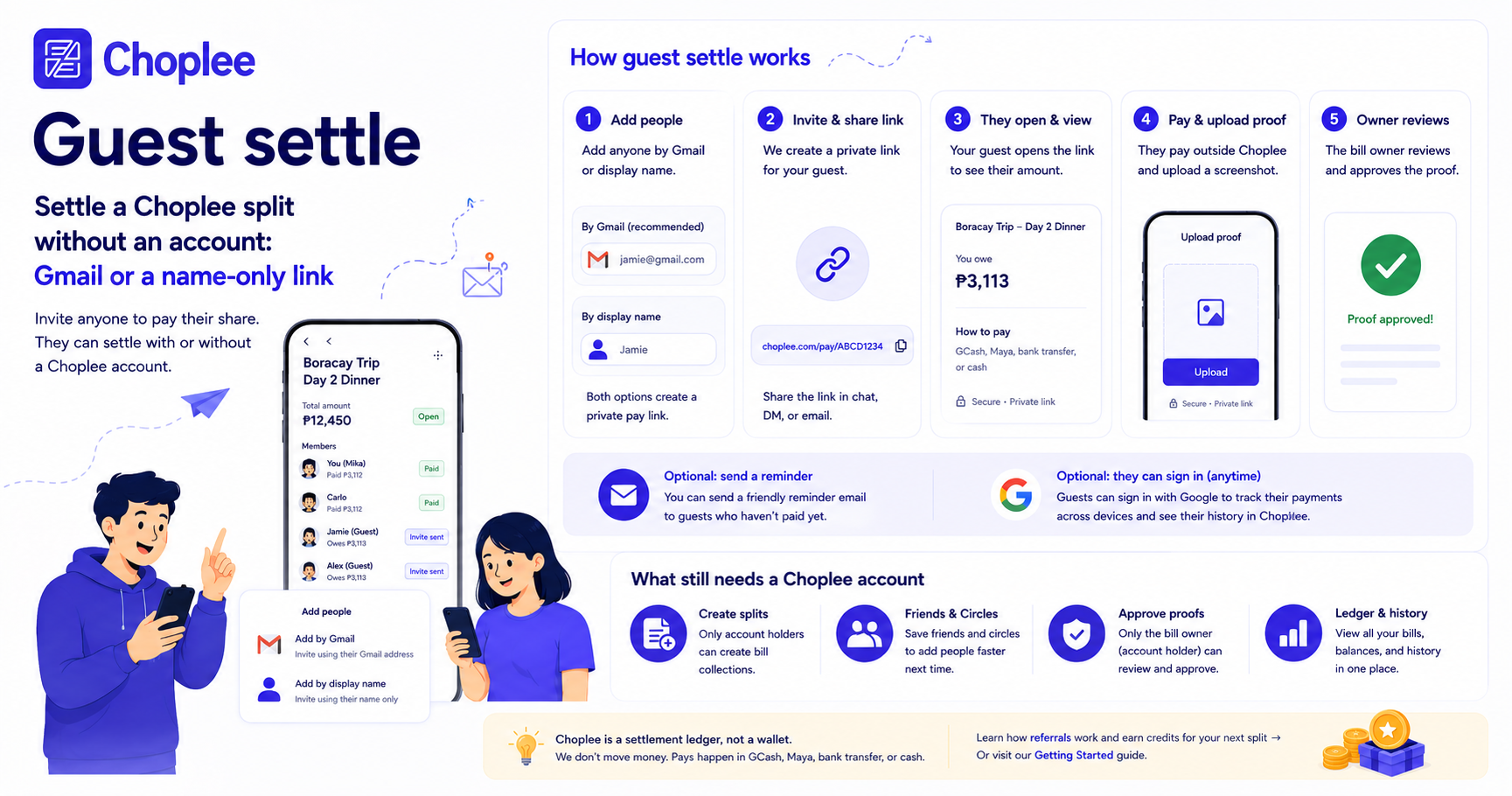
To save someone as a Friend or add them to a Circle, they need a Choplee account. To be on a split, they do not: you can add a Gmail or just a name and send a personal settle link. They can pay and upload proof without signing up. Signing in is optional and helps them track the bill later.
Can someone settle with only a name or email?
Yes. On Create Split → People, add a Gmail or a display name. Gmail members get their private settle link by email, plus unpaid reminders. Name-only members get a link you copy after create (and again on the bill). They open it, pay outside Choplee, and upload proof — no login required. They can optionally add a Gmail or sign in with Google later.
How do referrals work?
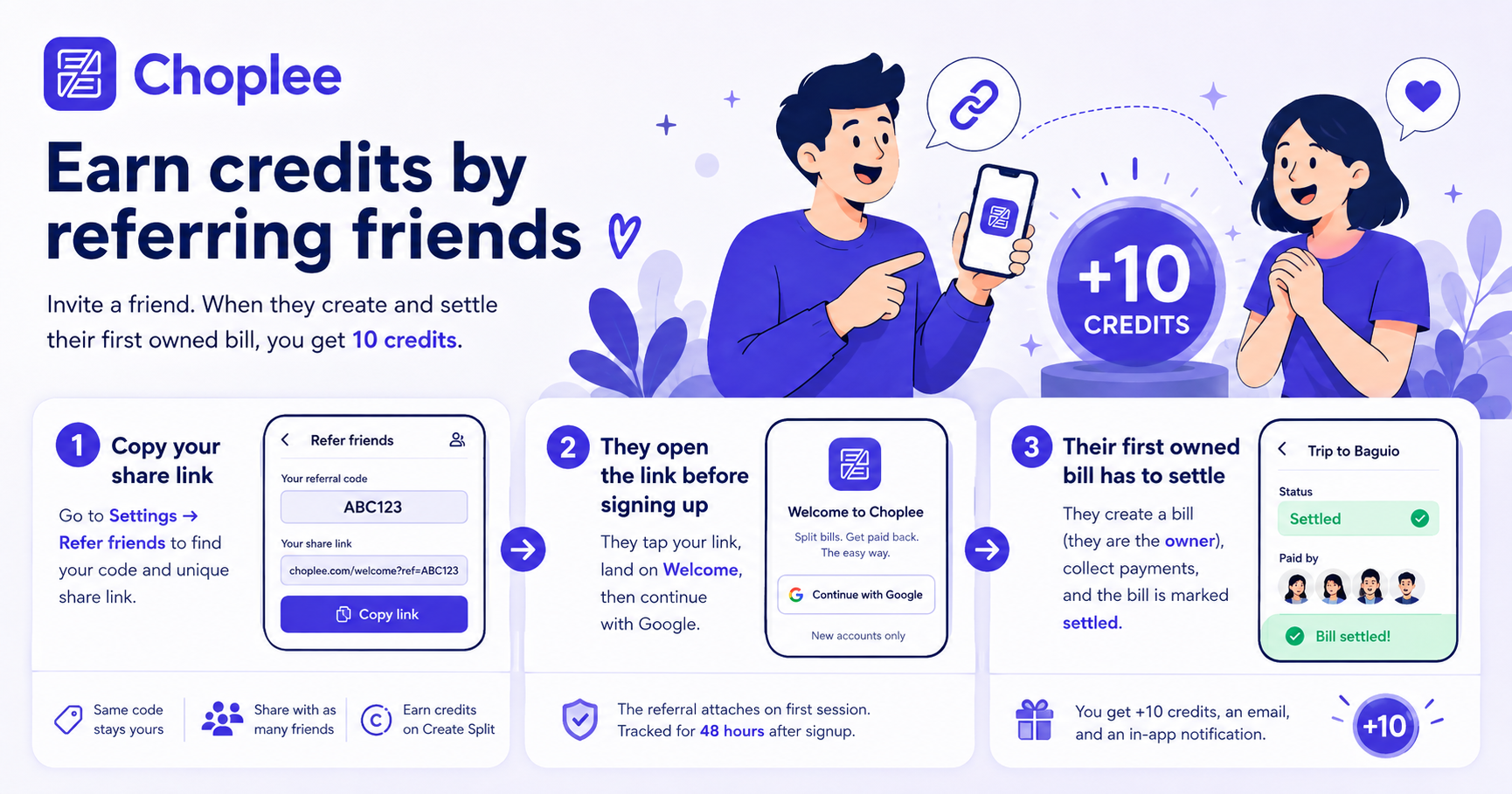
Sign in and open Settings → Refer friends to copy your personal share link. A new friend should open it before they continue with Google. When they create their first owned split and that bill is marked settled, you earn 10 credits, plus an email and in-app notice. Existing accounts, self-referrals, and invited members do not count. Credits are for creating splits — they are not cash.
How do payment proofs work?
After someone pays their share outside Choplee, they upload a screenshot as proof. The bill owner reviews it and approves. Once all members are settled, you can mark the bill complete.
Is Choplee free to start?
Yes. Sign in with Google and you get 5 starter credits for new splits. Buying credit packs is optional when you need more collections. Referring friends is another way to earn credits. There is no subscription required to settle existing bills.
Can I delete my account and data?
Yes. You can permanently delete your account from Settings → My Profile. That removes your profile, related bill data you own, and personal records as described in our Privacy Policy. The same email cannot create a new account for 30 days after deletion.
Ready to settle the next bill?
Join with Google and open your ledger in under a minute.